Parent: Fabric Workloads
What does Dataflows gen2 do?
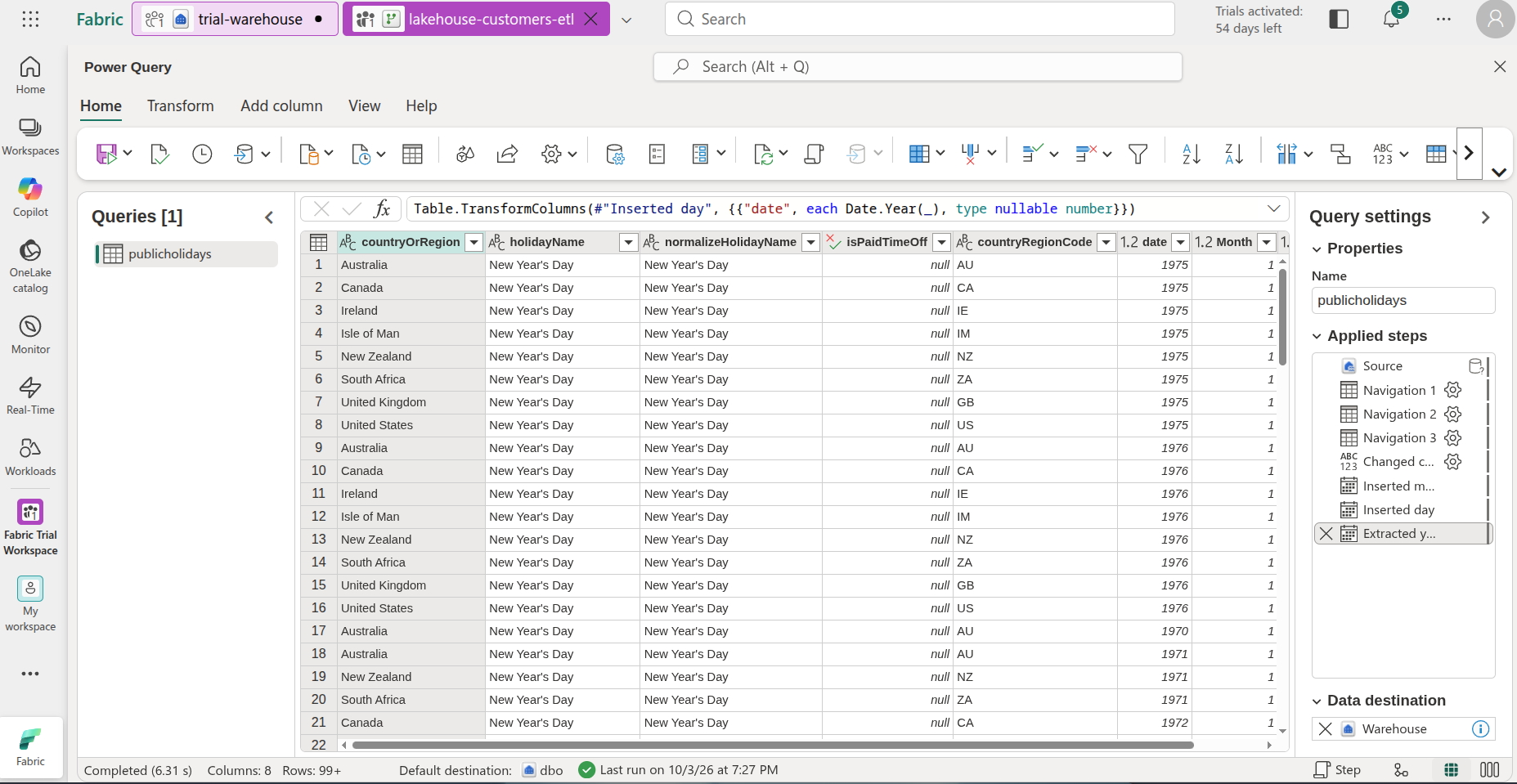
It is basically Microsoft power query that runs outside of the usual Power BI semantic model “transform” window (Which is the dataflows gen1) . It is a Power Query that is managed and scheduled independently in Fabric that can pull data from one source, transform it, and load it into a destination just like an ETL tool.
What destinations can Dataflows gen2 load to?
Basically everything in Fabric:
- Fabric Lakehouse: as Delta or file
- Fabric Warehouse: Load directly to the warehouse schema
- SQL Database (Fabric and Azure):
- KQL Databases
- Sharepoint files: Write CSV or excel files to Sharepoint
- Azure data stores (Data lake, SQL)
- Snowflake
You can also choose how the data is loaded:
- Append
- Replace
- Incremental refresh: requires a DateTime column to use. Is only available in Fabric Warehouse, Lakehouse, and Azure SQL database.
Dataflows gen2 for Fabric Warehouse only supports "append" update method
This means if you want to update a dimension table in the Warehouse you will need to use a staging table as an intermediary and merge the staging table to the existing dimension table with your desired SCD type. Use T-SQL from the begining when possible.
When to choose Dataflows gen2 than notebooks or T-SQL
The decision boils down to where the data is coming from, how technical your team is, and the complexity of the transformations:
- The data comes from outside of Fabric (Sharepoint, onedrive, etc.) if its already in fabric/onelake its better to use T-SQL or Notebooks to fit into the ELT philosophy.
- The team is used to Power Query in Power BI or Excel.
- If the transformation doesn’t require complex joins (multi table, specific table filtering, pretransformation with cte’s), otherwise use T-SQL
- If the transformation doesn’t need distributed data processing (algorithms to enrich the data), otherwise use Notebooks.
Related:
Slowly Changing Dimensions (SCD’s) Optimizing Dataflows Gen2 Performance